
IČO and ARES in your form the company fills itself in
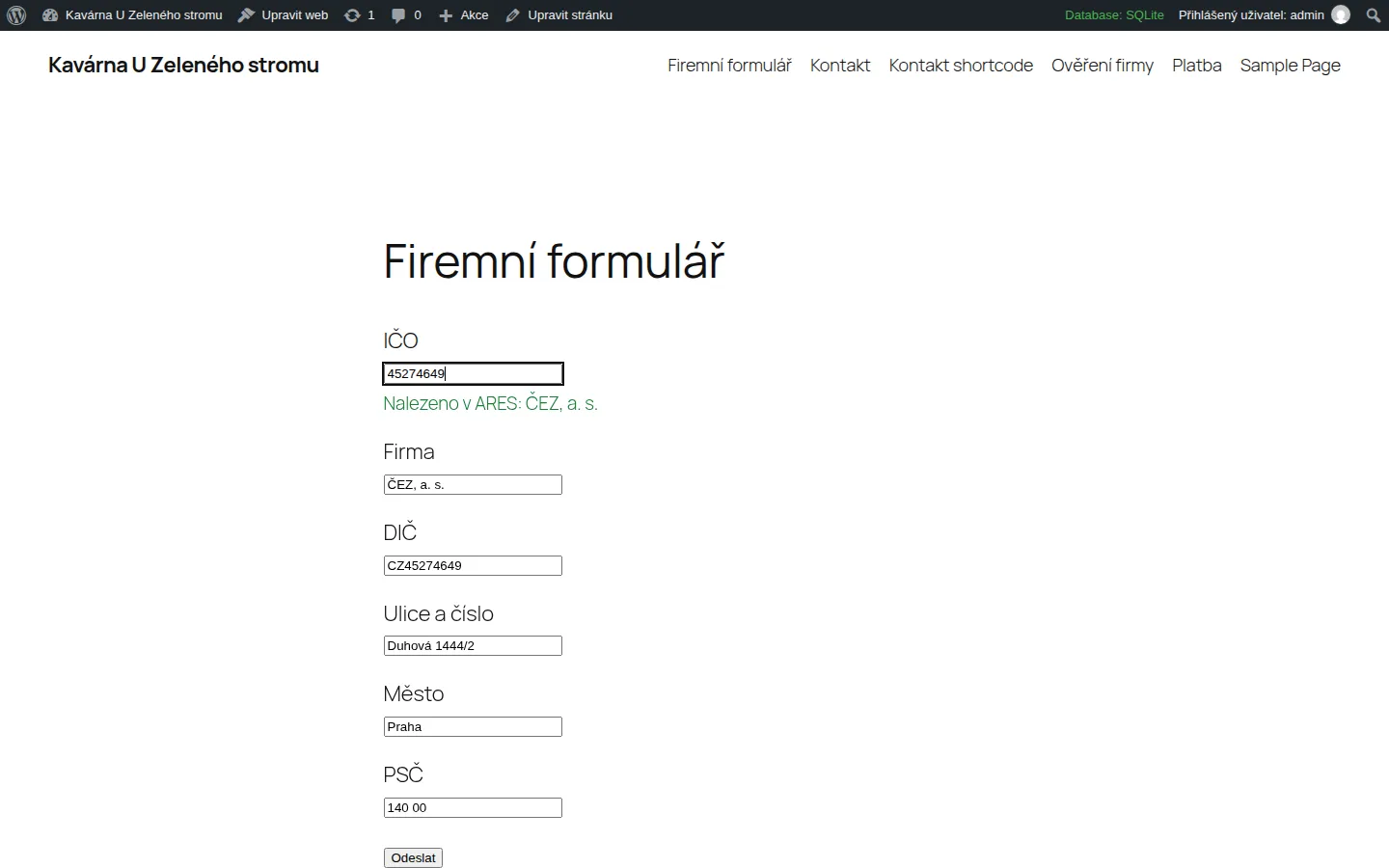
Business customers do not like typing their details twice. The visitor types an IČO and your form fills in the company name, DIČ and registered office. The data comes from ARES, the public register of economic entities run by the Czech Ministry of Finance.
- Free
- Version 1.0.0
- WordPress 6.4+
- PHP 7.4+
- GPL-2.0+
What the plugin does
Autofill for any form
Contact Form 7, WPForms, Fluent Forms, Gravity Forms, Elementor or a plain HTML form, with no add-on for your form plugin. Just give the fields CSS classes: ares-ico for the IČO and ares-name, ares-dic, ares-street, ares-city, ares-zip or ares-address for the fields to fill.
Never overwrites the visitor
A field the visitor edited by hand is left alone.
IČO checked at once
The check digit is verified in the browser and on the server, so a typo is caught before ARES is even asked.
A company card
A shortcode with an IČO shows the name, IČO, DIČ (and whether the company is a VAT payer), registered office, legal form and the date it was established, with a warning for a company that no longer exists.
A public lookup field
A shortcode without an IČO shows a field where your visitors look up any company, for example on a page about invoicing.
Blocks and Czech
The "ARES company" block does the same in the block editor. The interface is in Czech and English.
Who it is for
- Companies and sole traders with a quote or order form for business customers.
- Sites with a form in Contact Form 7, WPForms, Fluent Forms, Gravity Forms or Elementor.
- Invoicing pages that could use a public company lookup by IČO.
How you use it
The IČO field and the fields to fill, in Contact Form 7:
[text* ico class:ares-ico]
[text* firma class:ares-name]
[text dic class:ares-dic]
[text ulice class:ares-street]
[text mesto class:ares-city]
[text psc class:ares-zip]
The card of one company:
[ares_firma ico="45274649"]A public field to look up any company:
[ares_firma]
What the plugin looks like
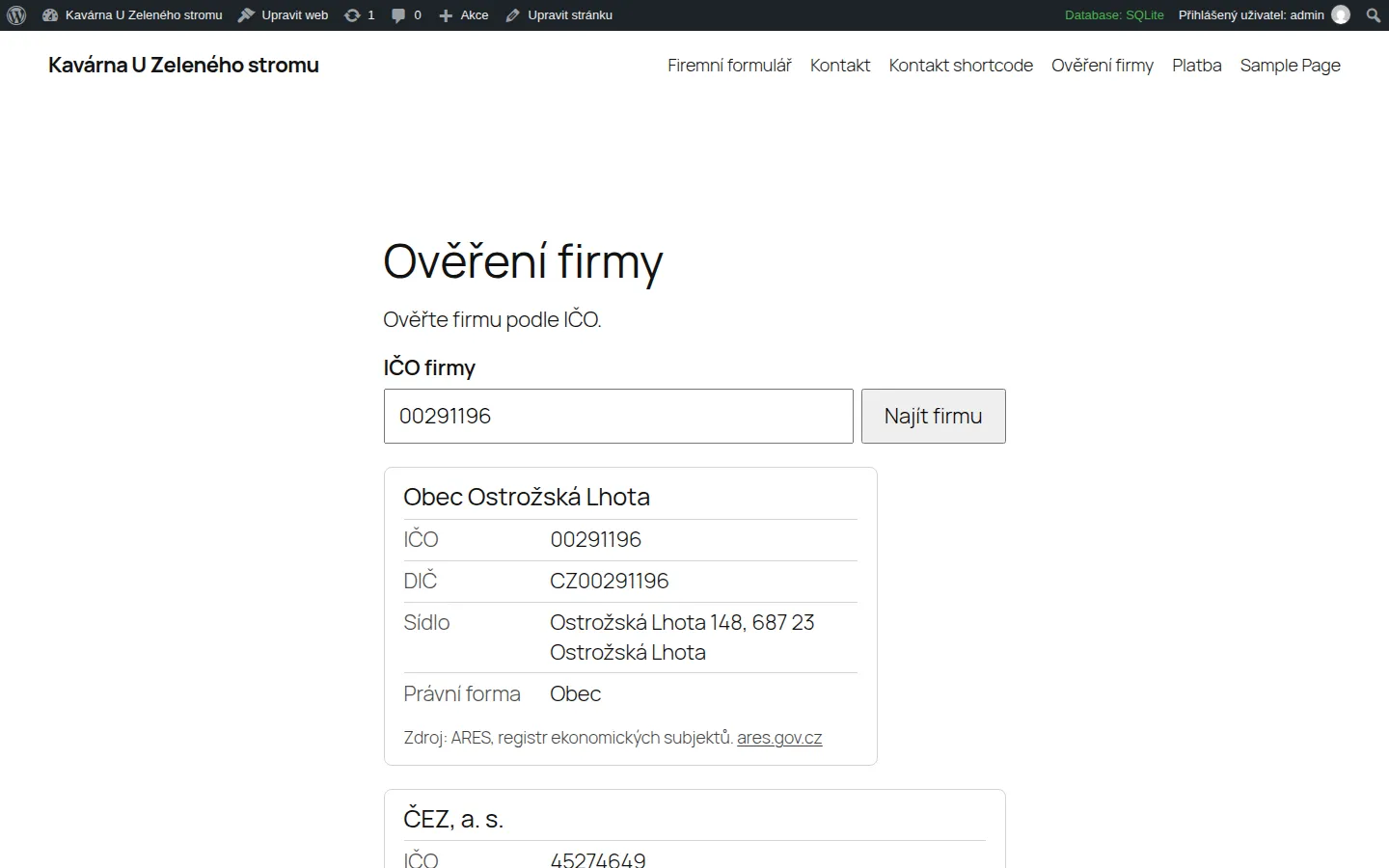
The company card shortcode. 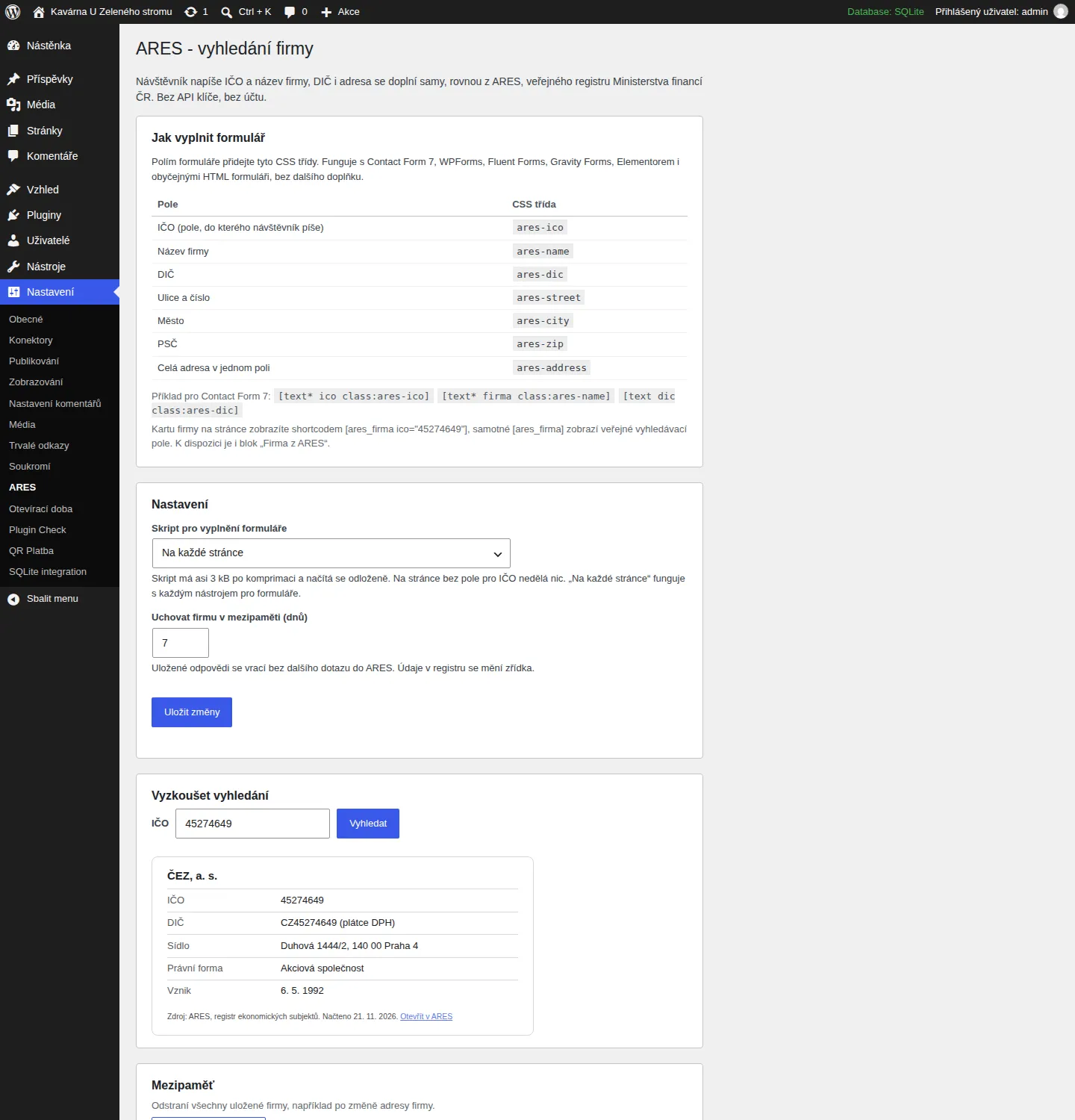
Settings: field classes, options and a test lookup. 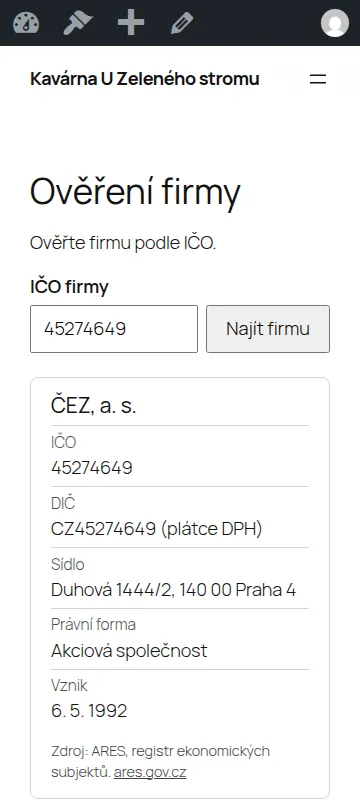
The public lookup field on a phone.
How to install it
Installing takes a minute and needs no code. A WordPress plugin installs from a ZIP file, and you download it here.
- Download the ZIP file with the button above and leave it zipped.
- In the WordPress admin open Plugins, then Add Plugin, and click Upload Plugin at the top.
- Choose the downloaded ZIP file and click Install Now.
- When it has installed, click Activate Plugin.
After you activate it
- Open Settings, then ARES, where the list of CSS classes is.
- Give your form fields the classes: ares-ico for the IČO and ares-name, ares-dic and the rest for the fields to fill. In Contact Form 7 you add class:ares-ico right in the tag.
- Or put a shortcode with the company card or the lookup field on a page.
Installing by hand
If your host blocks plugin uploads, unzip the file on your computer, upload the folder to wp-content/plugins/ over FTP or the host's file manager, and activate the plugin under Plugins.
Updating
When a new version is out, upload its ZIP the same way. WordPress offers to replace the installed version and your settings stay.
Removing it
Deactivate and delete the plugin under Plugins. Everything it stored goes with it: the settings and, if there is one, the cache.
Checking the file
The SHA-256 checksum of the file you downloaded comes from sha256sum file.zip (Linux and macOS) or Get-FileHash file.zip (Windows PowerShell). It should match this one:
5ac028dfdbc9afb52aa5dafca698116e3af0f6ceda7f1c36a2764a21d0e1e38f
Requirements and licence
- Version
- 1.0.0
- Requirements
- WordPress 6.4 or newer, PHP 7.4 or newer. Tested with WordPress 7.1.
- Licence
- GPL-2.0-or-later. Free software: you may use, change and share it.
- Size
- ZIP, 28 kB
- Interface language
- Czech and English
- Author
- Socionet
To report a bug or suggest a change, write to us through the contact form.
What the plugin does with data
The plugin asks one public service, ARES of the Ministry of Finance, and sends it only the IČO the visitor typed, from your server and not from their browser. No visitor address, cookie or site detail is sent. Answers are cached (7 days by default), which is also kind to ARES. A rate limit of 30 lookups per visitor per 5 minutes keeps the route from being used as an open proxy, and only a salted hash of the address is kept, for the length of that window. Nothing is tracked, there are no ads and no paid version. Everything stored (settings and cached companies) is removed with the plugin.
Changes by version
1.0.0
- First release.
Questions
Do I need an API key?
No. The plugin uses the public ARES REST service of the Ministry of Finance, which needs no registration.
Where does the data come from, and how current is it?
From ARES at the moment of the first lookup. Answers are cached for 7 days (1 to 30 in the settings) and you can clear the cache with one button.
How do I add the classes in Contact Form 7, WPForms, Elementor?
Contact Form 7: add class:ares-ico to the tag. WPForms and Fluent Forms: the field's "CSS Classes" setting. Gravity Forms: "Custom CSS Class" under Appearance. Elementor: the field's "CSS Classes" under Advanced.
Does it work for sole traders (OSVČ)?
Yes, ARES lists them too. Their DIČ is shown as ARES publishes it.
What if ARES is down?
The visitor sees a short message and fills in the details by hand. A failed lookup is remembered for a minute only.
Is the IP address of my visitors sent to ARES?
No. Only your server contacts ARES, and it sends nothing but the IČO.
The same in your browser
Before you install the plugin, try the same thing in our free tool (the tool is in Czech):
More plugins and add-ons free

WordPress pluginfree, version 1.0.0
Czech Opening Hours
Opening hours that know the Czech holidays and say "Open now" on their own.
WordPress pluginfree, version 1.0.0
QR Platba
A payment QR code that fills in the account, amount and variable symbol in the bank app.
WooCommerce pluginfree, version 1.0.0
Czech Product Feeds for WooCommerce
XML feeds for Heureka and Zboží.cz with the Czech carriers and a check of what products lack.
Browser extensionfree, version 1.0.0
Company Check CZ
A company by IČO, VAT number or name: ARES data, the VAT payer's reliability and published accounts.