
XML feeds for Heureka and Zboží.cz from your WooCommerce shop
Heureka and Zboží.cz, the two price comparison sites Czech shoppers use, read products from an XML file that WooCommerce does not make by itself. The plugin builds it to each service's specification, sends the right carriers and shows what is missing on which product.
- Free
- Version 1.0.0
- WordPress 6.5+
- WooCommerce 8.5+
- PHP 7.4+
- GPL-2.0+
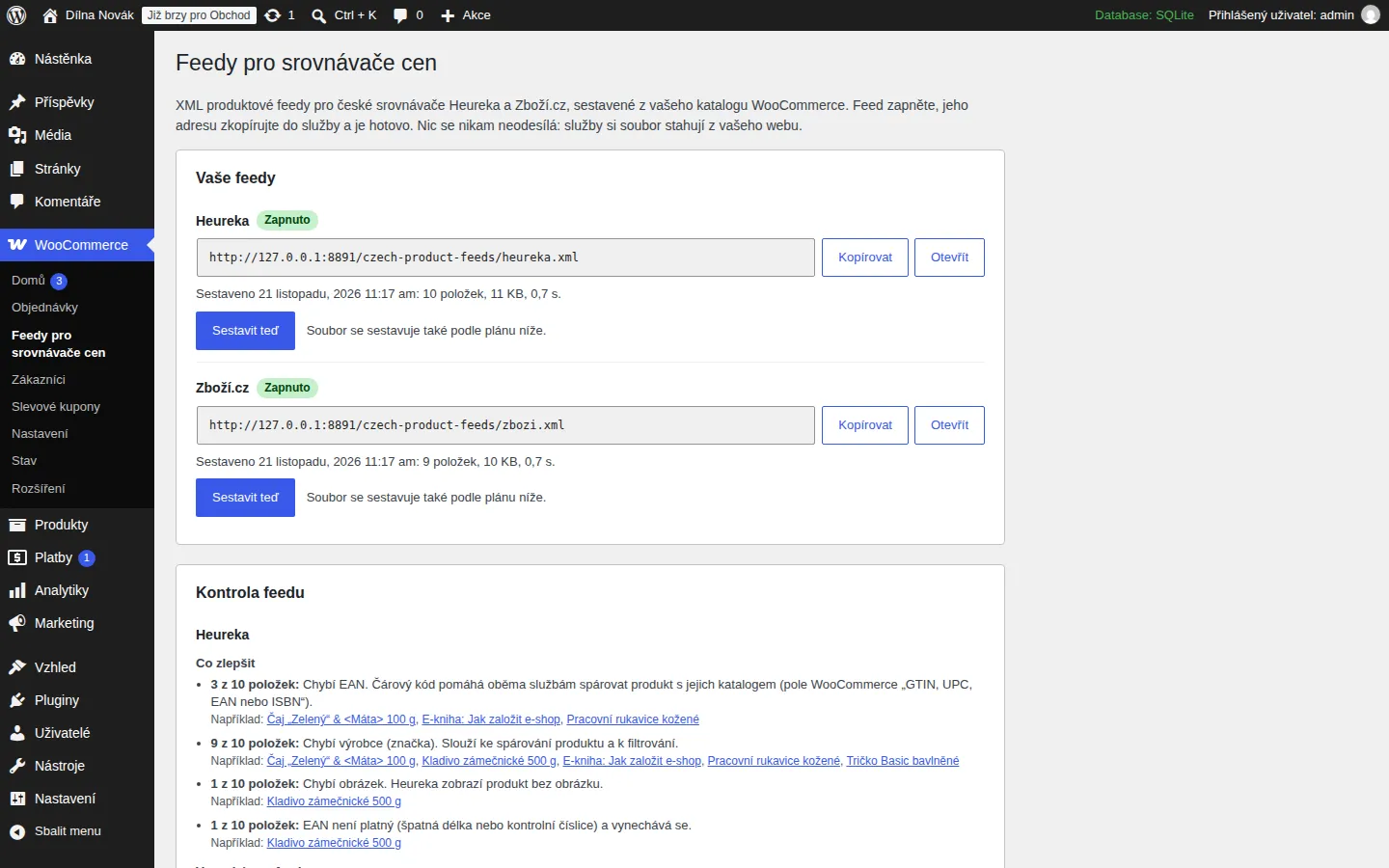
What the plugin does
Two feeds in the right format
Heureka and Zboží.cz each get the elements and identifiers its specification asks for: the Zboží.cz namespace, the carrier codes, dispatch days and PARAM for attributes.
Czech carriers, entered once
Zásilkovna, Balíkovna, Česká pošta, PPL, DPD, GLS and more, with the price, the cash-on-delivery price and a “free from” amount. Each service gets the identifier it knows, and a carrier one of them does not know is left out of its feed.
Prices and variations
The final price including VAT, sale prices too, rounded to whole crowns if you wish. Every variation is its own item with its own address, price, stock and barcode.
Barcodes and dispatch that hold up
An EAN is checked by its check digit, and an invalid one is left out rather than sent wrong. Dispatch days are in stock, on backorder, or your own number per product. Out-of-stock, hidden and price-less products stay out.
A feed check
After every build you see how many items are in the feed, what was left out and why, and what would improve the listing: a missing EAN, manufacturer, category, image or description, with links to the products.
Fast on a big shop too
The feed is built in the background into a file and served with Last-Modified and ETag headers, so the check before a download costs nothing. The file is replaced in one step.
Who it is for
- WooCommerce shops that want to be on Heureka and Zboží.cz.
- Owners who do not want to pay for a feed every month or wade through settings for dozens of channels.
- Anyone who got a feed error from Heureka or Zboží.cz and does not know what to fix.
How you use it
The address of the Heureka feed:
https://your-shop.cz/czech-product-feeds/heureka.xmlThe address of the Zboží.cz feed:
https://your-shop.cz/czech-product-feeds/zbozi.xmlWithout pretty permalinks the address looks like this:
https://your-shop.cz/?socionet_feed=heureka
What the plugin looks like
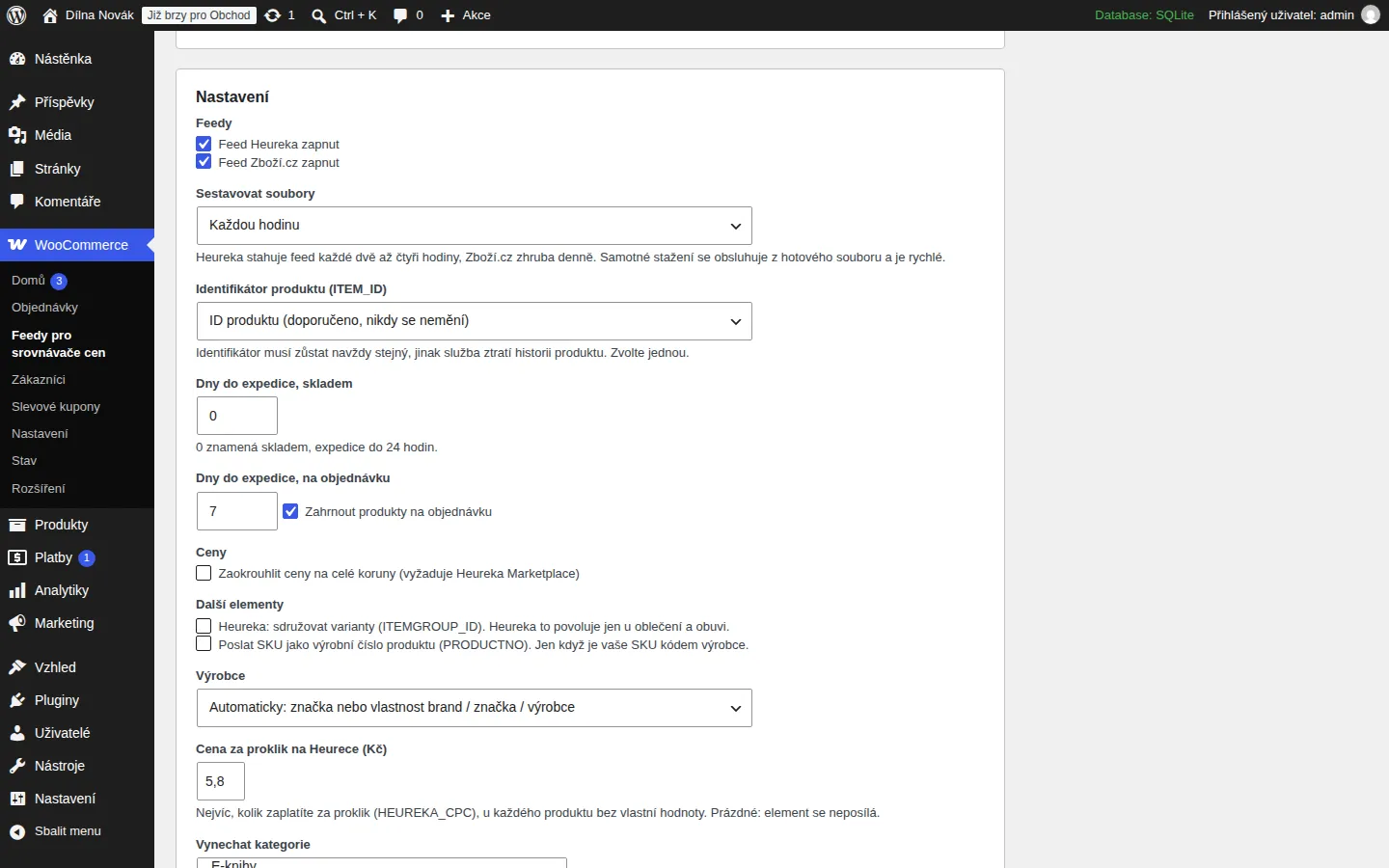
The feed settings. 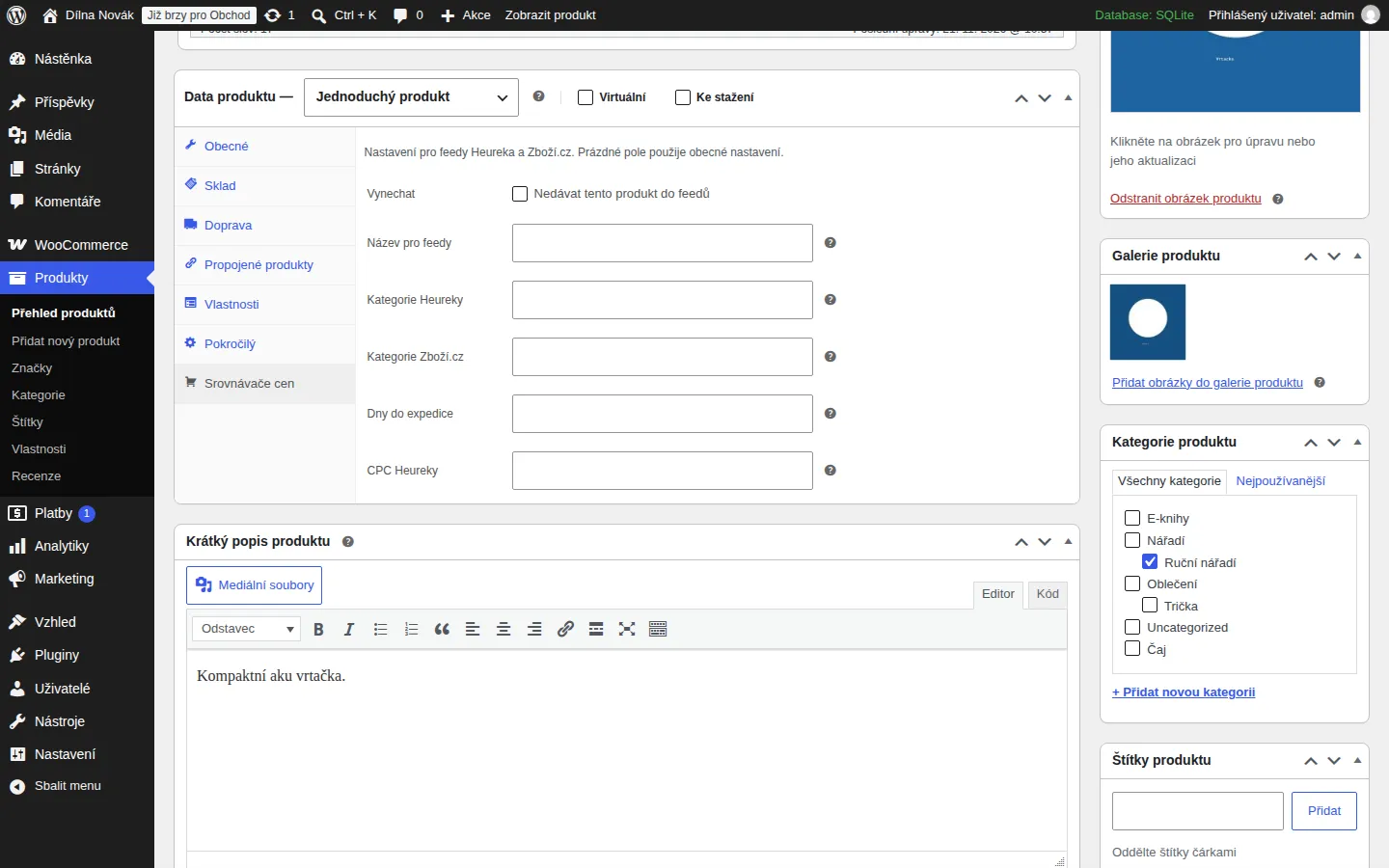
The Price comparison tab of a product. 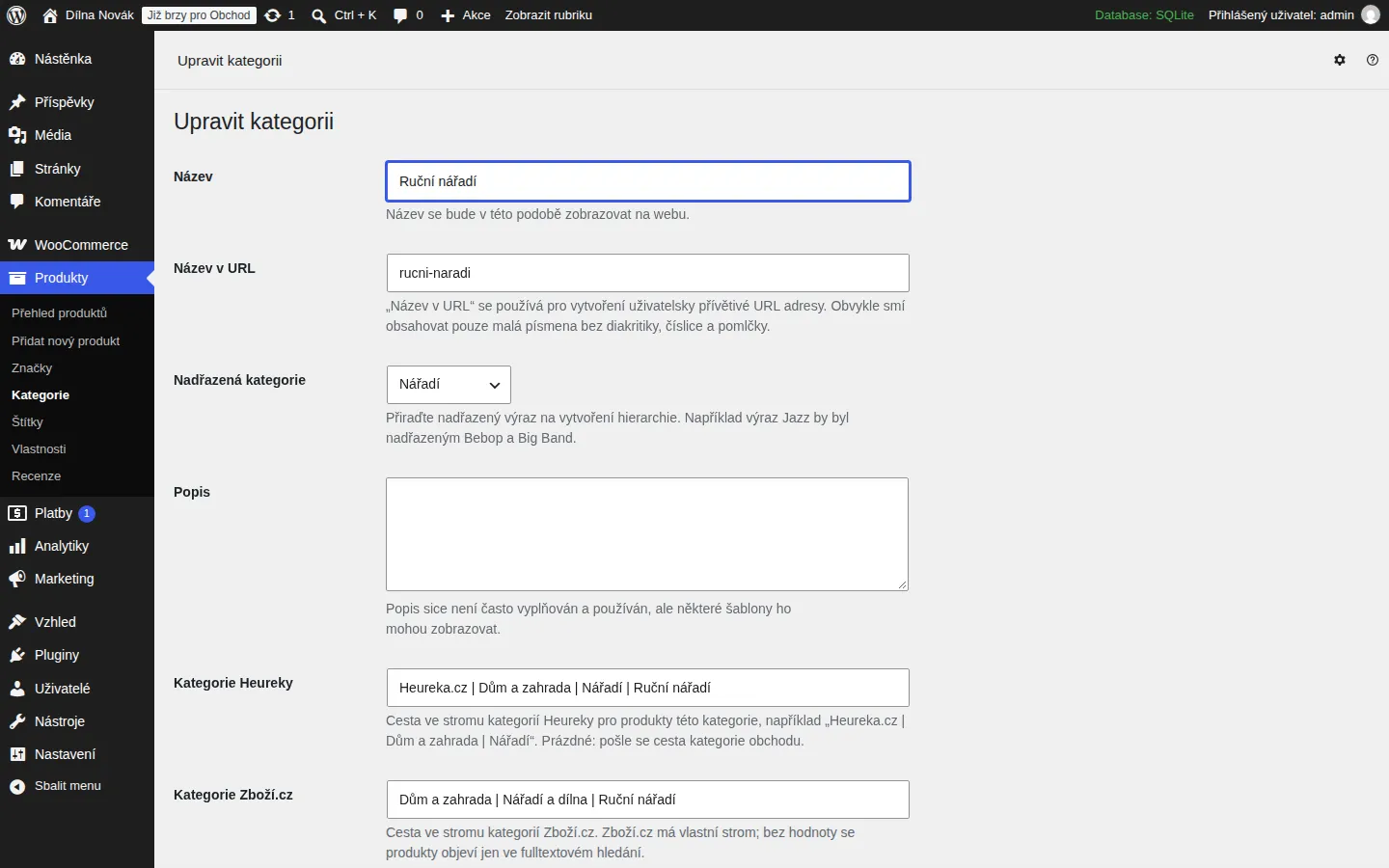
The Heureka and Zboží.cz category paths. 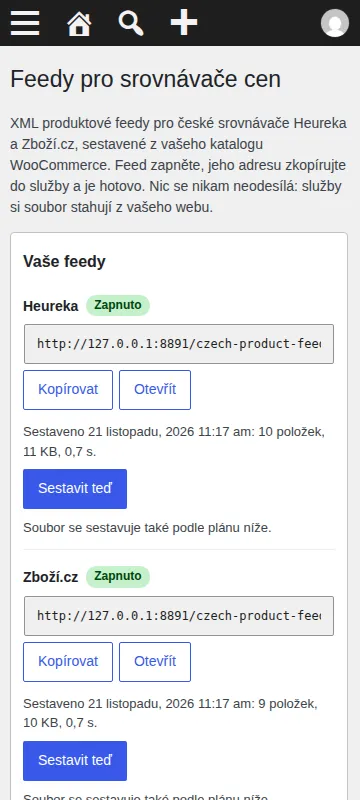
The settings on a phone.
How to install it
Installing takes a minute and needs no code. The plugin installs from a ZIP file, which you download here, into a WordPress site that runs WooCommerce.
- The plugin needs WooCommerce: it must be installed and active in the shop.
- Download the ZIP file with the button above and leave it zipped.
- In the WordPress admin open Plugins, then Add Plugin, and click Upload Plugin at the top.
- Choose the downloaded ZIP file and click Install Now.
- When it has installed, click Activate Plugin.
After you activate it
- Open WooCommerce, then Price comparison feeds.
- Under Settings switch on the Heureka or Zboží.cz feed, under Carriers add your carriers, and save.
- Click Build now.
- Copy the address of the feed and add it in your Heureka account and in Sklik (Zboží.cz) as the XML feed of the shop.
Installing by hand
If your host blocks plugin uploads, unzip the file on your computer, upload the folder to wp-content/plugins/ over FTP or the host's file manager, and activate the plugin under Plugins.
Updating
When a new version is out, upload its ZIP the same way. WordPress offers to replace the installed version and your settings stay.
Removing it
Deactivate and delete the plugin under Plugins. Everything it stored goes with it: the settings and, if there is one, the cache.
Checking the file
The SHA-256 checksum of the file you downloaded comes from sha256sum file.zip (Linux and macOS) or Get-FileHash file.zip (Windows PowerShell). It should match this one:
ab5125a64db8f34cb64d34429fa61649a8a636870127ce09c5ef322992ee47dd
Requirements and licence
- Version
- 1.0.0
- Requirements
- WordPress 6.5 or newer, WooCommerce 8.5 or newer, PHP 7.4 or newer. Tested with WordPress 7.1, WooCommerce 11.3.
- Licence
- GPL-2.0-or-later. Free software: you may use, change and share it.
- Size
- ZIP, 49 kB
- Interface language
- Czech and English
- Author
- Socionet
To report a bug or suggest a change, write to us through the contact form.
What the plugin does with data
The plugin sends nothing anywhere and has no external requests, ads or offers of a paid version. Heureka and Zboží.cz download the file from your site themselves. Everything the plugin stored (the settings, the feed files and the fields on products and categories) is removed when you delete it.
Changes by version
1.0.0
- First release.
Questions
What is the address of the feed?
https://your-shop.cz/czech-product-feeds/heureka.xml and https://your-shop.cz/czech-product-feeds/zbozi.xml. Without pretty permalinks the plugin shows an address of the form ?socionet_feed=heureka. The page under WooCommerce has a copy button.
Heureka or Zboží.cz says my feed has an error.
Open the feed check under WooCommerce first: it lists what is missing per product. The service's own report names the rest. The most common causes are a category path that is not in the service's tree, an EAN that is only an internal number, and a price that differs from the one in the shop.
How do I set the category of Heureka and Zboží.cz?
Each product category has two fields. Write the whole path from the service's category tree in them. A subcategory without a path of its own uses its parent's. Heureka sends your shop's own category path when nothing is set, while Zboží.cz has its own tree and without a path the product appears only in its text search.
Which barcode field does it read?
The WooCommerce field GTIN, UPC, EAN or ISBN on the product and on each variation.
Does it work with a currency other than crowns?
The services take Czech crowns. If your shop uses another currency the feed contains the prices as the shop has them, and the settings page warns you.
The feed says 503, not ready yet.
The first build is queued when you switch a feed on. Click Build now, or wait a minute. On a very large shop the first build can take a few minutes.
Does it slow down my shop?
No. The file is built in the background (WP-Cron, hourly by default) and the download is served from the file.
What does it not do yet?
It does not send the elements for gifts and vouchers, the lowest price in 30 days, energy label (EPREL) identifiers or the condition of used goods.
Is the plugin made by Heureka or Seznam?
No. It is made by Socionet and has no connection to Heureka or Seznam.cz.
More plugins and add-ons free

WordPress pluginfree, version 1.0.0
Czech Opening Hours
Opening hours that know the Czech holidays and say "Open now" on their own.
WordPress pluginfree, version 1.0.0
QR Platba
A payment QR code that fills in the account, amount and variable symbol in the bank app.
WordPress pluginfree, version 1.0.0
ARES Company Lookup
Type an IČO and the company name, DIČ and address fill in from ARES in any form.
Browser extensionfree, version 1.0.0
Company Check CZ
A company by IČO, VAT number or name: ARES data, the VAT payer's reliability and published accounts.