
Opening hours for WordPress with the Czech public holidays
Do you close on Good Friday, Easter Monday and 28 October and not want to remember it every year? Set your weekly hours once, tick the holidays you are closed on, and the plugin does the rest.
- Free
- Version 1.0.0
- WordPress 6.4+
- PHP 7.4+
- GPL-2.0+
What the plugin does
The Czech state holidays built in
All thirteen state holidays, the moving ones too: Good Friday and Easter Monday are computed for every year, so there is nothing to update.
An "Open now" line that tells the truth
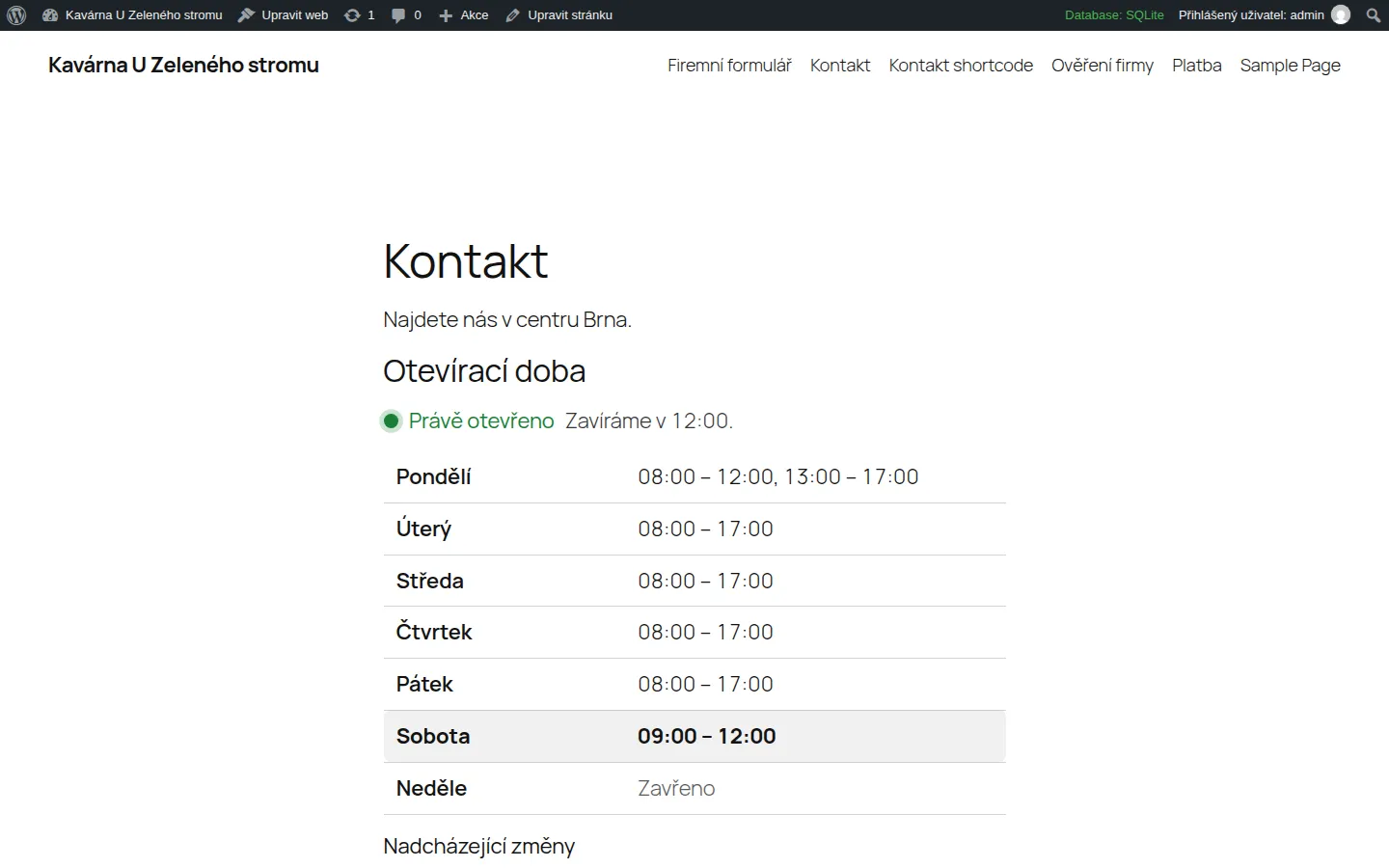
"Open now, we close at 17:00." or "Closed now. Public holiday: Easter Monday. Next opening: Tuesday at 8:00." Behind a page cache the line refreshes itself once a minute.
A weekly table
With today highlighted, a lunch break (two intervals a day), hours past midnight and a note for holidays.
Exceptions win
A summer break, inventory day, a short Christmas Eve: from-to dates, a note for visitors, closed or special hours.
Markup for Google
schema.org LocalBusiness data with your hours and the upcoming closures, so search results can show them. You choose the business type, and you switch it off when your SEO plugin already prints one.
Block and shortcode
An "Opening hours" block for the block editor and a shortcode for the classic editor, widgets and page builders. The interface is in Czech and English.
Who it is for
- Businesses with regular hours: cafes, shops, surgeries, hairdressers and workshops.
- Websites where visitors mostly want to know whether you are open right now.
- Anyone who does not want to retype the holidays every year.
How you use it
The "Open now" line and the weekly table:
[otevreci_doba]The table only, without the status line:
[otevreci_doba status="no"]With the next three closures or special days:
[otevreci_doba upcoming="3"]
What the plugin looks like
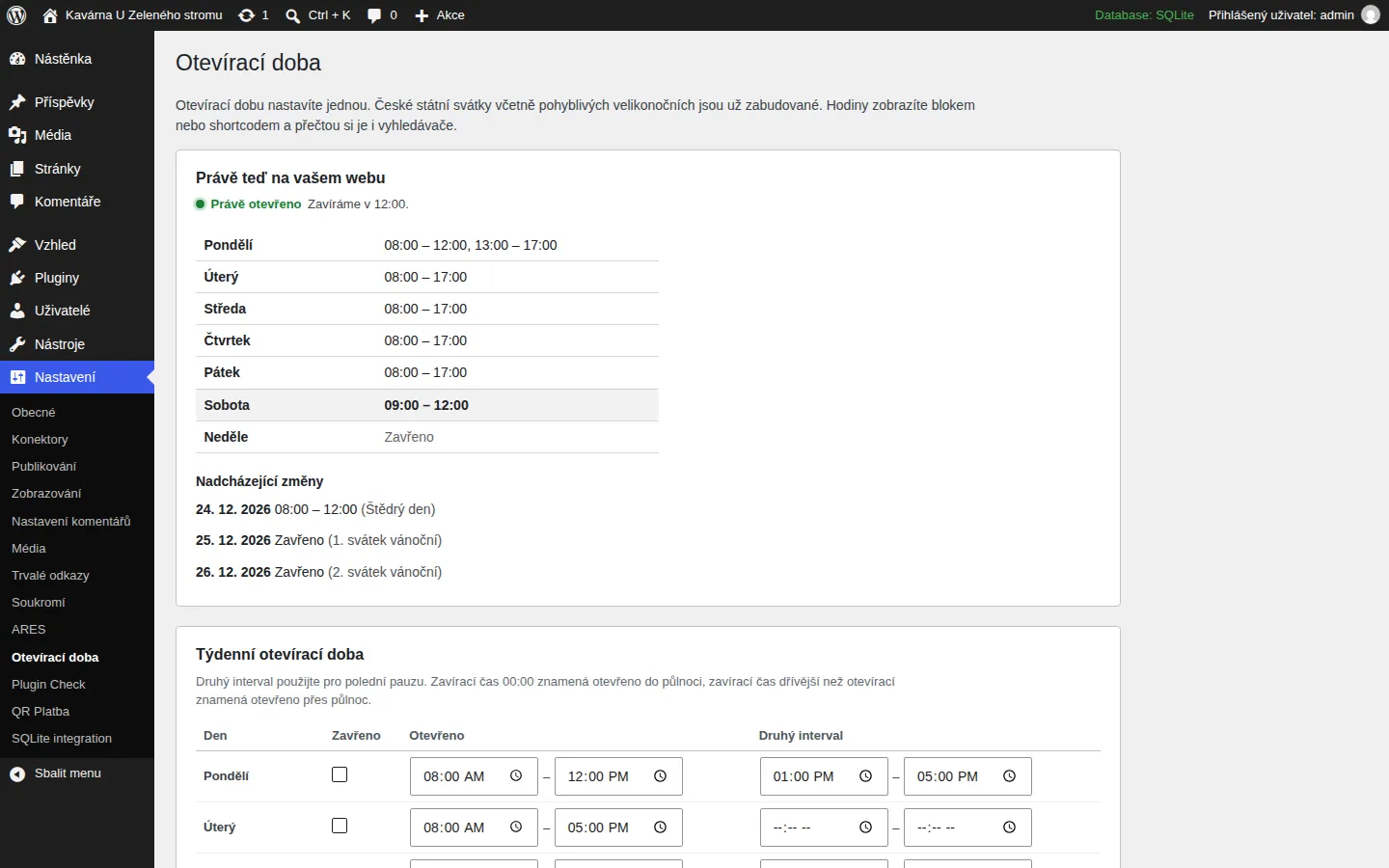
Settings: weekly hours, holidays, exceptions and business details. 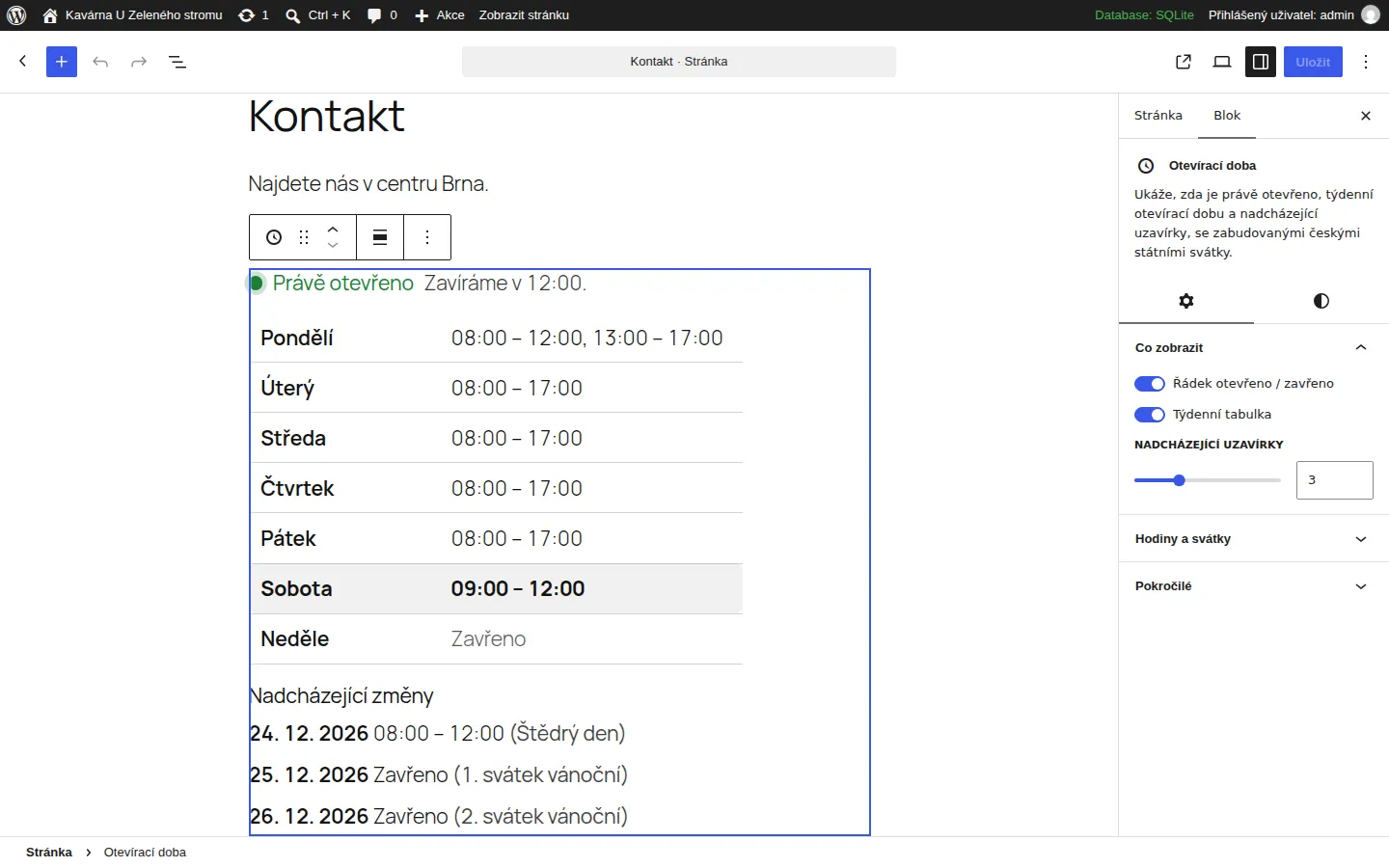
The block in the editor. 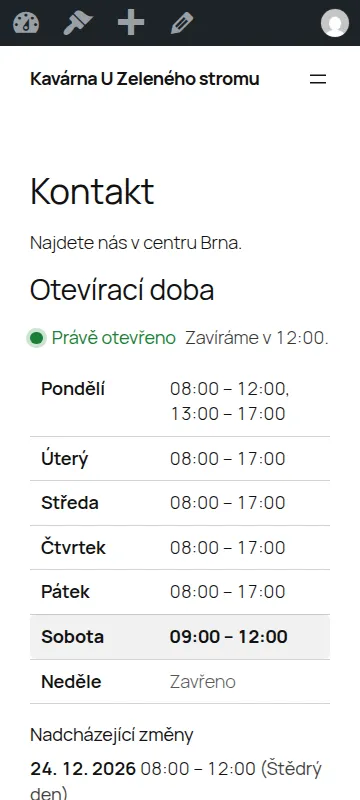
Settings on a phone.
How to install it
Installing takes a minute and needs no code. A WordPress plugin installs from a ZIP file, and you download it here.
- Download the ZIP file with the button above and leave it zipped.
- In the WordPress admin open Plugins, then Add Plugin, and click Upload Plugin at the top.
- Choose the downloaded ZIP file and click Install Now.
- When it has installed, click Activate Plugin.
After you activate it
- Open Settings, then Opening hours, and fill in your weekly hours.
- Tick the holidays you are closed on. By default all are ticked except Christmas Eve.
- Add the "Opening hours" block to a page, or write the shortcode in the text.
Installing by hand
If your host blocks plugin uploads, unzip the file on your computer, upload the folder to wp-content/plugins/ over FTP or the host's file manager, and activate the plugin under Plugins.
Updating
When a new version is out, upload its ZIP the same way. WordPress offers to replace the installed version and your settings stay.
Removing it
Deactivate and delete the plugin under Plugins. Everything it stored goes with it: the settings and, if there is one, the cache.
Checking the file
The SHA-256 checksum of the file you downloaded comes from sha256sum file.zip (Linux and macOS) or Get-FileHash file.zip (Windows PowerShell). It should match this one:
33f6758ecf77ead4906e0e22d6506409ba4aed4f588f62d37f35b44d19e6bd82
Requirements and licence
- Version
- 1.0.0
- Requirements
- WordPress 6.4 or newer, PHP 7.4 or newer. Tested with WordPress 7.1.
- Licence
- GPL-2.0-or-later. Free software: you may use, change and share it.
- Size
- ZIP, 30 kB
- Interface language
- Czech and English
- Author
- Socionet
To report a bug or suggest a change, write to us through the contact form.
What the plugin does with data
The plugin tracks nothing and sends nothing anywhere: no external requests, no ads, no upsell. Everything runs on your server. It keeps one option in the database and removes it when you delete the plugin.
Changes by version
1.0.0
- First release.
Questions
Which holidays does it know?
The thirteen Czech state holidays: 1 January, Good Friday (from 2016), Easter Monday, 1 May, 8 May, 5 July, 6 July, 28 September, 28 October, 17 November, and 24, 25 and 26 December. You tick the ones you are closed on.
My shop has different hours on a holiday.
Add an exception for that date with the hours you keep. An exception always wins over the holiday list.
Does it work behind a cache plugin?
Yes. The "Open now" line asks the site for the current status once a minute and rewrites itself, so a cached page does not show yesterday's answer. Without JavaScript the line shows the status at the time the page was built.
Which time zone does it use?
The one in Settings, then General. Set it to Europe/Prague.
Does it clash with my SEO plugin?
If your SEO plugin already prints LocalBusiness data, turn off "Print structured data" in the settings so it is not there twice.
The same in your browser
Before you install the plugin, try the same thing in our free tool (the tool is in Czech):
More plugins and add-ons free

WordPress pluginfree, version 1.0.0
QR Platba
A payment QR code that fills in the account, amount and variable symbol in the bank app.
WordPress pluginfree, version 1.0.0
ARES Company Lookup
Type an IČO and the company name, DIČ and address fill in from ARES in any form.
WooCommerce pluginfree, version 1.0.0
Czech Product Feeds for WooCommerce
XML feeds for Heureka and Zboží.cz with the Czech carriers and a check of what products lack.
Browser extensionfree, version 1.0.0
Company Check CZ
A company by IČO, VAT number or name: ARES data, the VAT payer's reliability and published accounts.