
Company check in your browser by IČO, VAT number or name
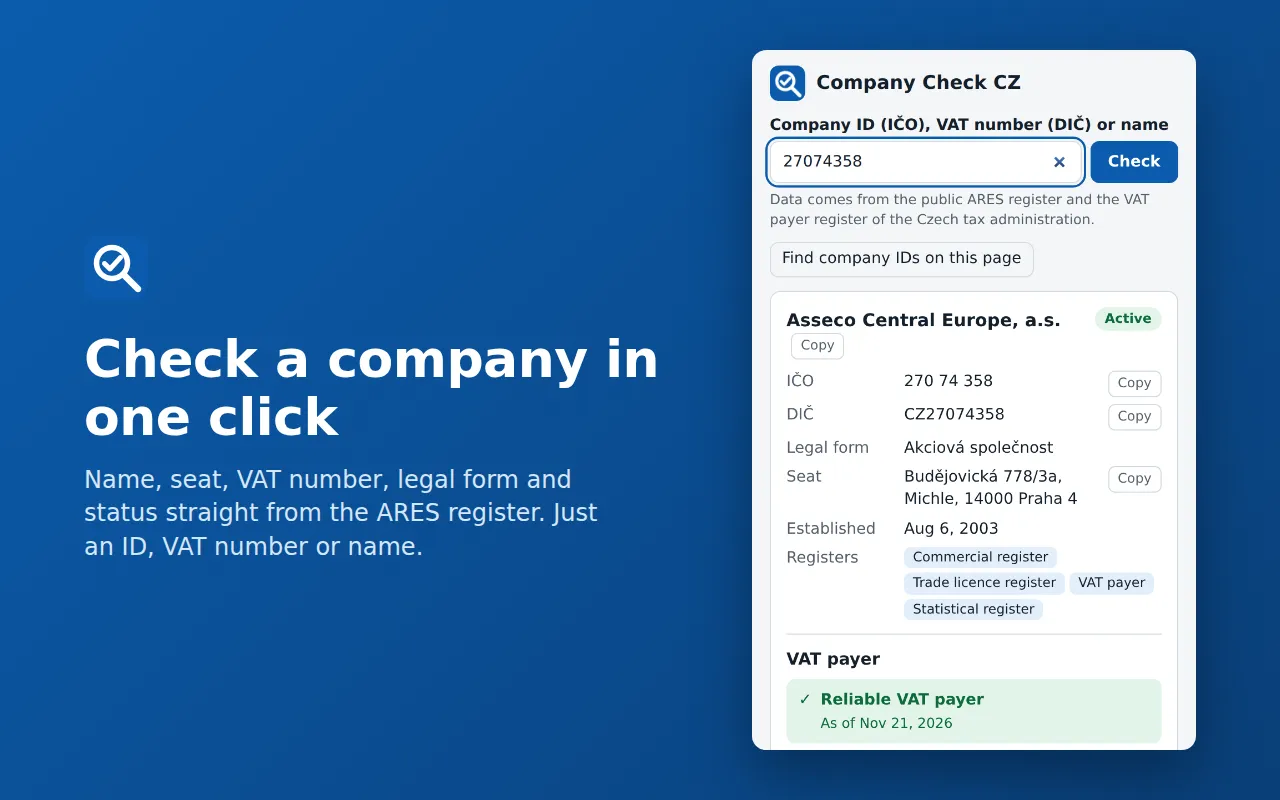
Before you pay an invoice or sign a contract, find out who you are dealing with. Enter an IČO (company ID), a VAT number or a name and the extension shows the ARES data, whether the company is a reliable VAT payer and which bank accounts it has published.
- Free
- Version 1.0.0
- Chrome / Edge 116+
- Firefox 140+
- MIT
What the extension does
ARES data
The name, seat, legal form, date of establishment, the registers the company is in, and whether it still exists.
VAT payer reliability
The extension asks the VAT payer register of the Czech tax administration: is the company a reliable or an unreliable payer, and which bank accounts has it published?
A check of the account on an invoice
Type the account number or IBAN and see whether the supplier published it. Paying to an unpublished account can make the customer liable for the supplier's VAT.
Right-click on selected text
Select an IČO on any page, right-click and choose “Check company”.
Numbers on the page
When you ask, the extension reads the visible text of one page and offers the IČO, VAT numbers and account numbers it finds. This happens only in your browser.
Copying and history
Copy the name, IČO, VAT number, seat and accounts with one click. The extension remembers the last 10 lookups only in your browser, and you can switch it off and clear it.
Who it is for
- Sole traders and small firms that pay invoices from new suppliers.
- Accountants and anyone who processes invoices and wants to see quickly whether an account number is published.
- Anyone who wants to know before a job whether a company exists and how its VAT status stands.
How you use it
By IČO (eight digits, spaces do not matter):
27074358By VAT number:
CZ27074358By name (at least three characters):
Seznam.cz
What the extension looks like
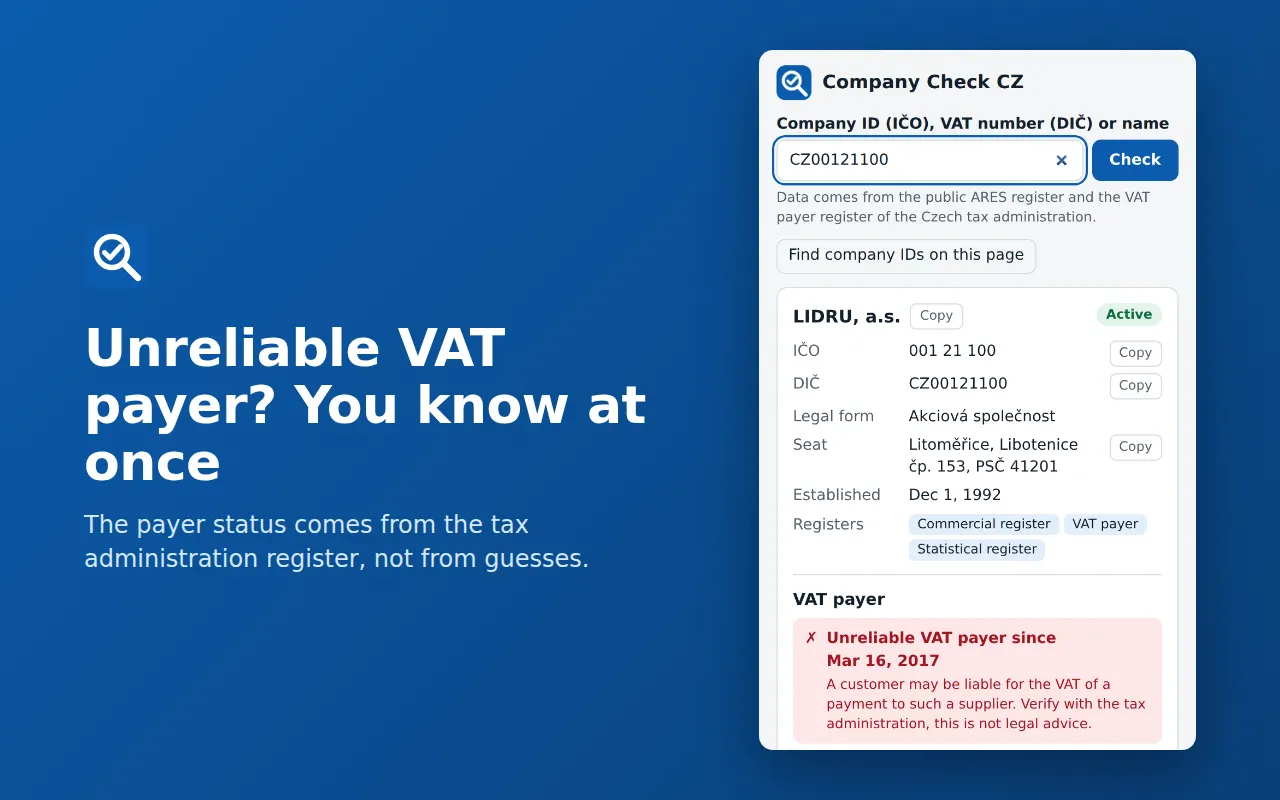
The unreliable VAT payer warning. 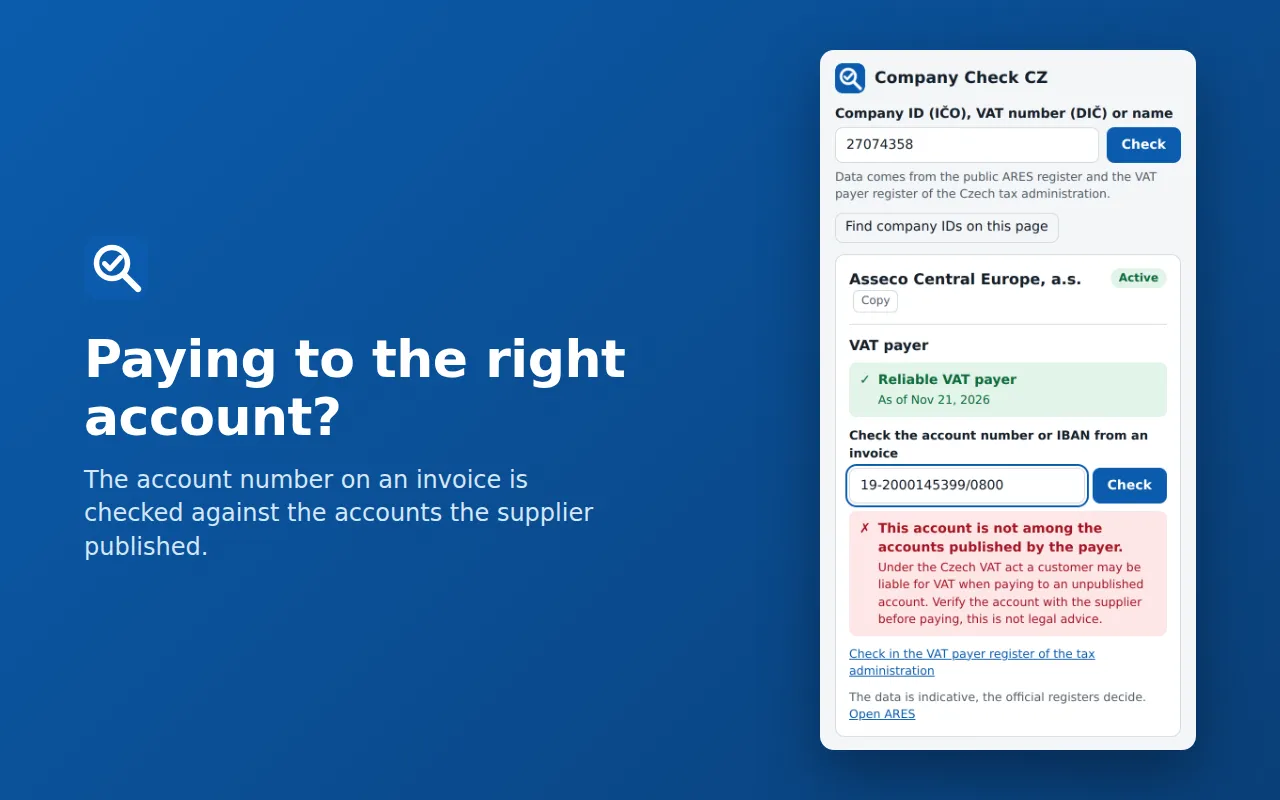
An invoice account against the published accounts. 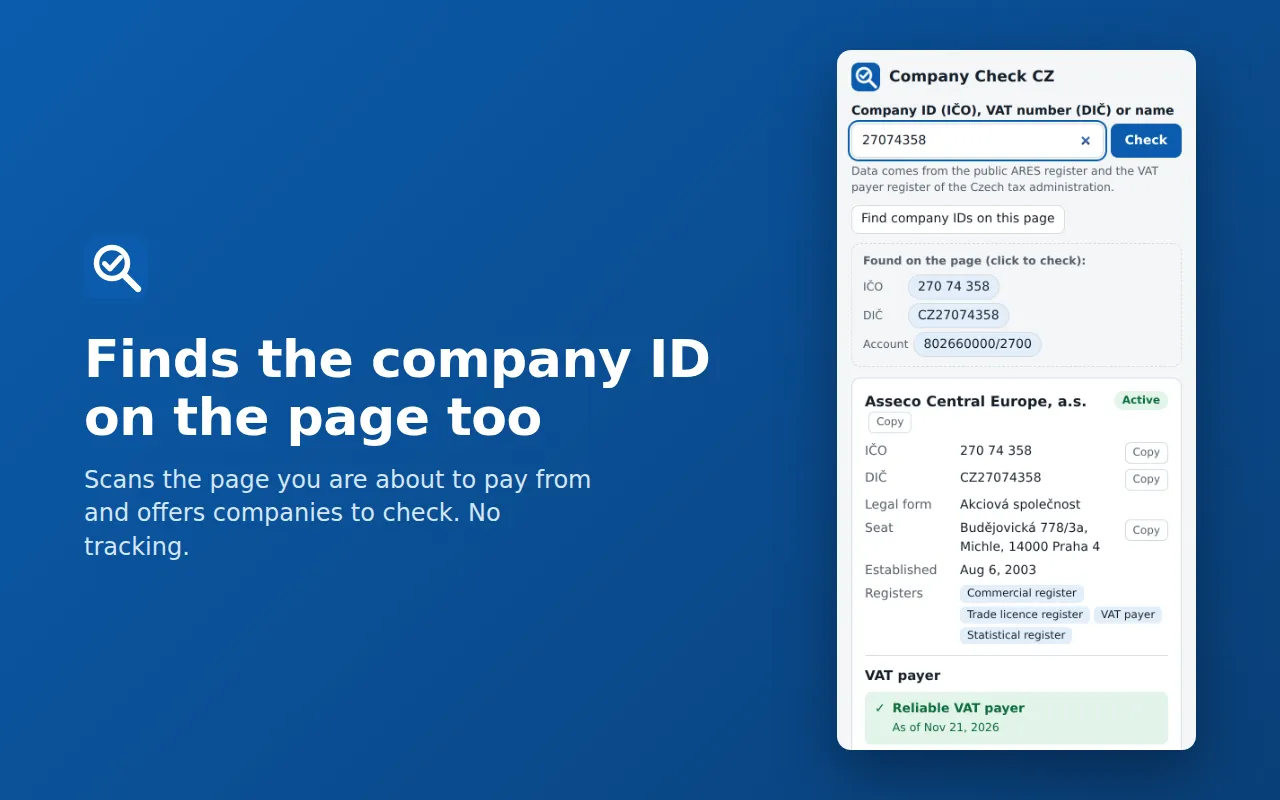
Numbers found on the page.
How to install it
The extension is not in the Chrome, Edge or Firefox extension store yet, so it installs by hand from a ZIP file. It takes a minute and needs no sign-in.
- Download the ZIP for Chrome and Edge and unzip it into a folder you will not delete: the browser loads the extension from it.
- In Chrome open chrome://extensions, in Edge edge://extensions, and switch on Developer mode.
- Click Load unpacked and choose the unzipped folder.
- Pin the extension with the puzzle icon next to the address bar so it is at hand.
After you install it
- Click the extension's icon and type an IČO, a VAT number or a company name in the field.
- Click Check. For a company with a VAT number the extension asks the VAT payer register too.
- Type the account number from an invoice in the field under the company card and click Check.
Firefox
Firefox lets an unsigned extension in only temporarily. Open about:debugging#/runtime/this-firefox, click Load Temporary Add-on and choose the manifest.json from the unzipped Firefox ZIP. The extension lasts until the browser restarts, and only a signed extension from the Firefox store installs for good.
Updating
The extension does not update itself. Download the new version here, unzip it over the old folder and click Reload on the extension in chrome://extensions.
Removing it
Remove the extension on chrome://extensions (edge://extensions, about:addons). The saved search history goes with it, and you can delete the unzipped folder.
Checking the file
The SHA-256 checksum of the file you downloaded comes from sha256sum file.zip (Linux and macOS) or Get-FileHash file.zip (Windows PowerShell). It should match this one:
for Chrome and Edge: 87d50cccfb5a82d6a716df238d6b865ce7ca5b6341ed10d18bcaf46e18ea82bf
for Firefox: 96f9c0a96c195526cb673c6630bca455434c82a939e83fc6dc3f5121178c359b
Requirements and licence
- Version
- 1.0.0
- Requirements
- Chrome / Edge 116 or newer, Firefox 140 or newer.
- Licence
- MIT. Free software: you may use, change and share it.
- Size
- ZIP for Chrome and Edge, 34 kB
ZIP for Firefox, 34 kB - Interface language
- Czech and English
- Author
- Socionet
To report a bug or suggest a change, write to us through the contact form.
What the extension does with data
The extension has no analytics or tracking, uses no cookies, downloads no code and contacts no Socionet server. It asks only two public registers of the Czech Ministry of Finance, ares.gov.cz and adisrws.mfcr.cz, and only when you ask: what is sent is what you typed, selected or clicked. The account number from an invoice is compared only in your browser. The history of the last 10 lookups stays in the browser's storage, can be switched off and cleared, and goes when you uninstall.
Changes by version
1.0.0
- First version.
Questions
Is the data binding?
No. It is indicative, the official registers decide, and the extension gives no legal advice. Under the company card there is a link straight to the register.
What is an unreliable VAT payer?
A payer the tax administration has marked as unreliable in its register. A customer who pays such a supplier can become liable for its VAT, so it is good to know before you pay.
Why is it not in the Chrome or Firefox store?
We have not submitted it to any store yet. It installs from a ZIP file, and the guide is above.
Which ZIP do I download?
The first one for Chrome and Edge, the second for Firefox. Both hold the same extension and differ only in the manifest.json file.
Do I need an account or a key?
No. ARES and the VAT payer register are public and need no key.
What does it read on the pages I visit?
Nothing until you click Find company IDs on this page. Then it reads only the visible text of that one page. The Check company item of the right-click menu uses only the text you selected. The extension does not ask for access to all websites.
The same in your browser
Before you install the plugin, try the same thing in our free tool (the tool is in Czech):
More plugins and add-ons free

WordPress pluginfree, version 1.0.0
Czech Opening Hours
Opening hours that know the Czech holidays and say "Open now" on their own.
WordPress pluginfree, version 1.0.0
QR Platba
A payment QR code that fills in the account, amount and variable symbol in the bank app.
WordPress pluginfree, version 1.0.0
ARES Company Lookup
Type an IČO and the company name, DIČ and address fill in from ARES in any form.
WooCommerce pluginfree, version 1.0.0
Czech Product Feeds for WooCommerce
XML feeds for Heureka and Zboží.cz with the Czech carriers and a check of what products lack.