
QR Platba for WordPress on any page
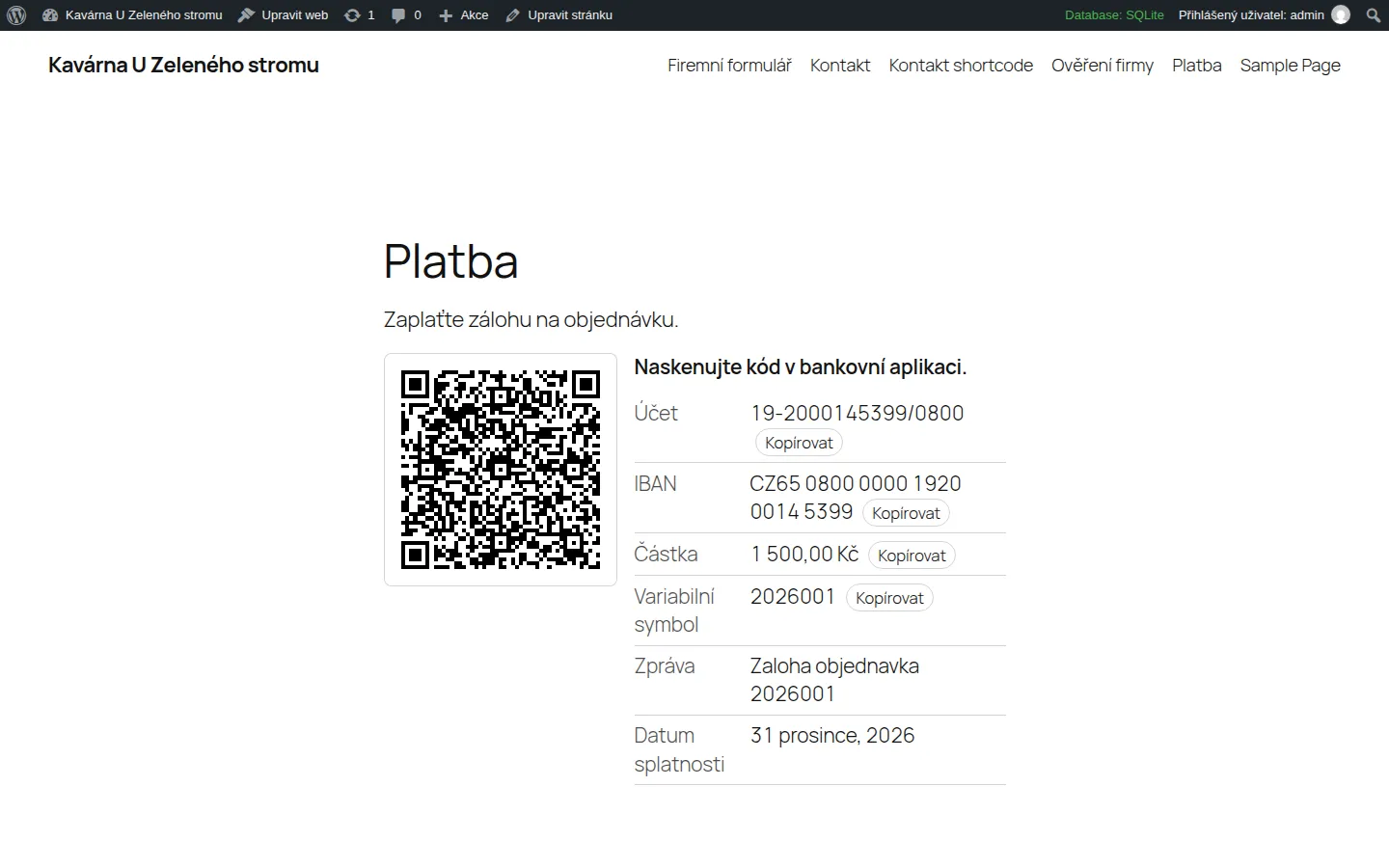
A payment QR code on an invoice page, a deposit, a price list or a donation. The payer scans it in the banking app and the payment is ready: account, amount, variable symbol and message are already filled in.
- Free
- Version 1.0.0
- WordPress 6.4+
- PHP 7.4+
- GPL-2.0+
What the plugin does
Block and shortcode
A "QR Platba" block for the block editor and a shortcode everywhere else. It works in the Czech and Slovak banking apps that support QR payments.
Your account checked for you
Type a Czech account number (a prefix is fine) or an IBAN. The plugin verifies the check digits and works the IBAN out.
Details next to the code
Account, IBAN, amount and variable symbol as text with a Copy button, because someone paying from a phone cannot scan their own screen.
A generator in the settings
Under Settings, then QR Platba, you try a payment and copy its shortcode.
No library, no cloud
The plugin draws the QR code itself as a small inline SVG. Nothing is sent anywhere and nothing is tracked.
A payment built safely
Diacritics are removed from texts (the standard allows plain characters only), the delimiter is stripped and every part is validated, so a message can never add fields to the payment.
Who it is for
- Sole traders and companies that publish a deposit, an invoice or a price list with a payment.
- Clubs, schools and fundraisers that accept gifts to a bank account.
- Sites without a shop: the other plugins of this kind work only in a WooCommerce checkout.
How you use it
A payment with amount, variable symbol and message:
[qr_platba amount="1500" vs="2026001" message="Faktura 2026001"]A different account than the default:
[qr_platba account="1234567899/0100"]Without the text next to the code, the picture only:
[qr_platba amount="500" details="no"]
What the plugin looks like
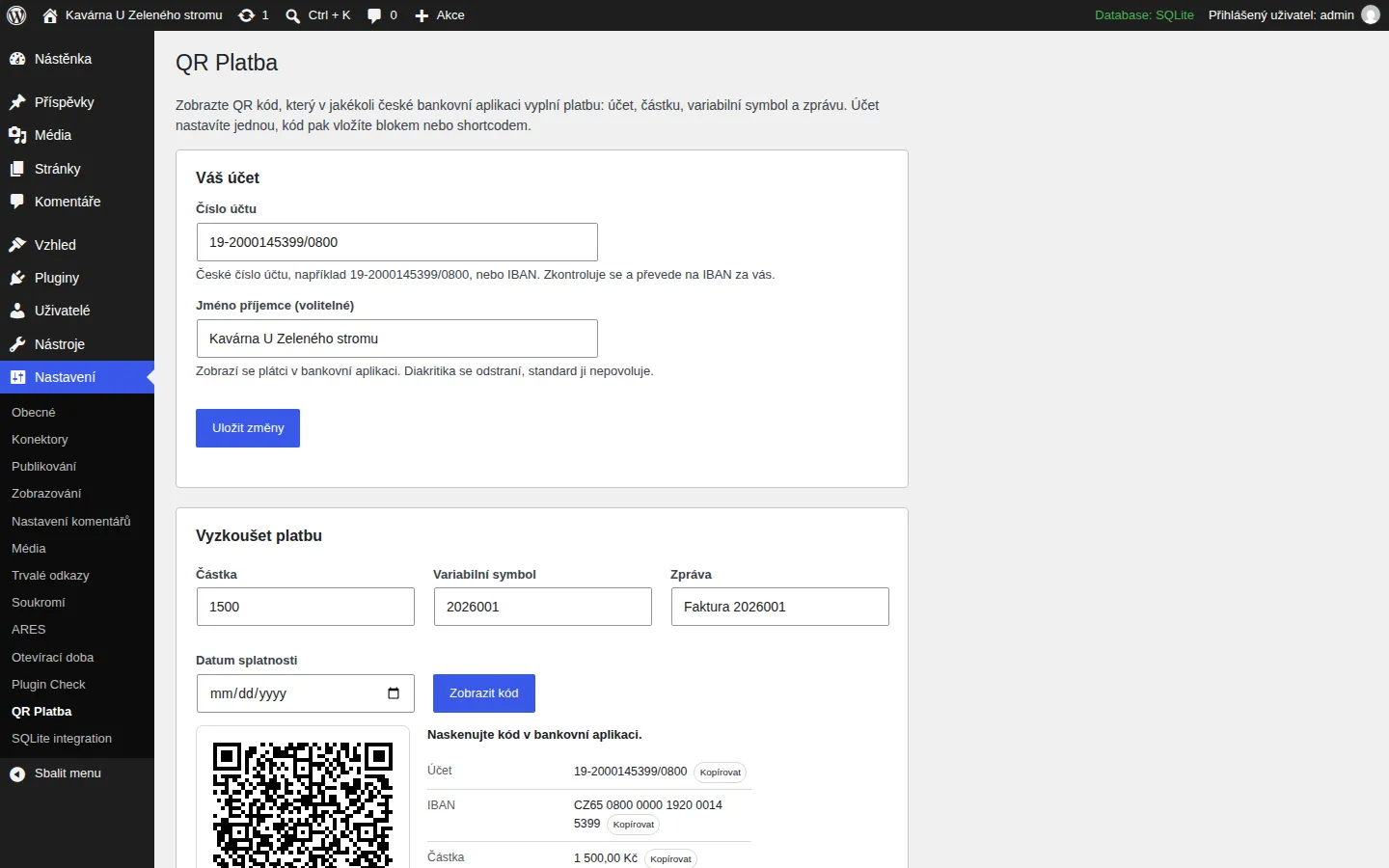
Settings: your account and the generator. 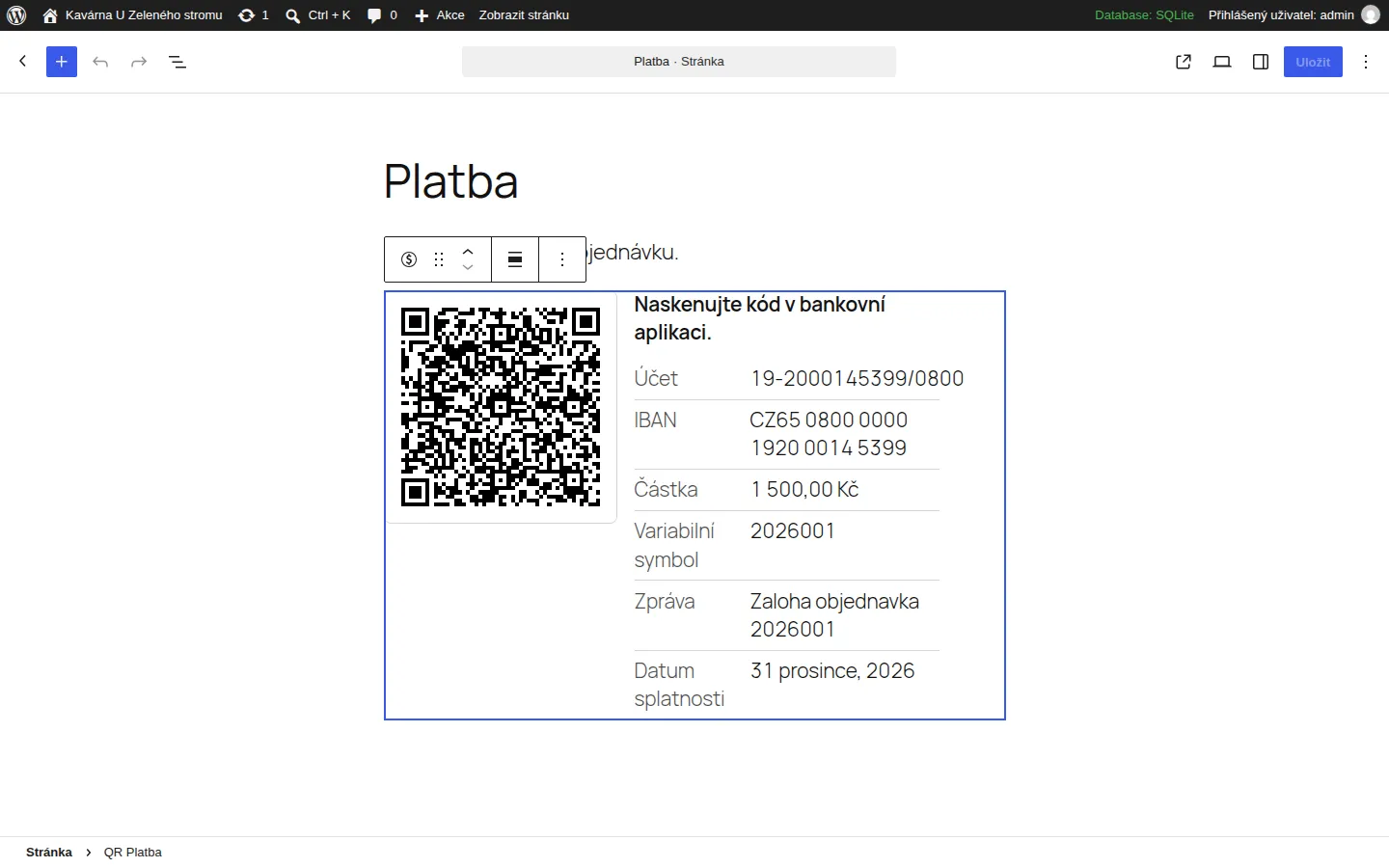
The block in the editor. 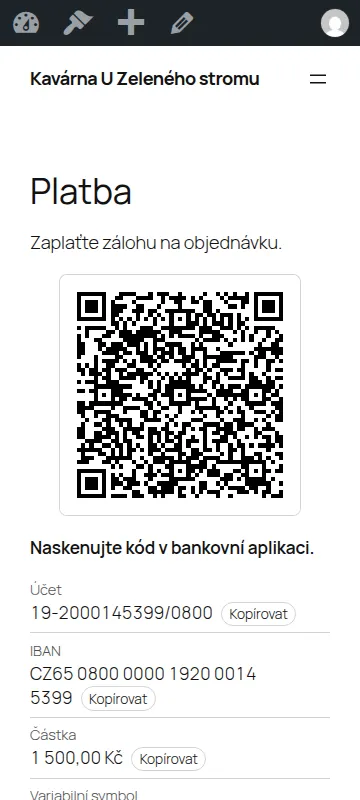
The code on a phone.
How to install it
Installing takes a minute and needs no code. A WordPress plugin installs from a ZIP file, and you download it here.
- Download the ZIP file with the button above and leave it zipped.
- In the WordPress admin open Plugins, then Add Plugin, and click Upload Plugin at the top.
- Choose the downloaded ZIP file and click Install Now.
- When it has installed, click Activate Plugin.
After you activate it
- Open Settings, then QR Platba, and enter your bank account.
- Add the "QR Platba" block to a page, or write the shortcode in the text.
- Scan the code in your banking app and check that the payment fills in.
Installing by hand
If your host blocks plugin uploads, unzip the file on your computer, upload the folder to wp-content/plugins/ over FTP or the host's file manager, and activate the plugin under Plugins.
Updating
When a new version is out, upload its ZIP the same way. WordPress offers to replace the installed version and your settings stay.
Removing it
Deactivate and delete the plugin under Plugins. Everything it stored goes with it: the settings and, if there is one, the cache.
Checking the file
The SHA-256 checksum of the file you downloaded comes from sha256sum file.zip (Linux and macOS) or Get-FileHash file.zip (Windows PowerShell). It should match this one:
b576d72551f26ea70abc8e6a65b131f4fa51e2cf146585b58e6cf224f0e67c43
Requirements and licence
- Version
- 1.0.0
- Requirements
- WordPress 6.4 or newer, PHP 7.4 or newer. Tested with WordPress 7.1.
- Licence
- GPL-2.0-or-later. Free software: you may use, change and share it.
- Size
- ZIP, 26 kB
- Interface language
- Czech and English
- Author
- Socionet
To report a bug or suggest a change, write to us through the contact form.
What the plugin does with data
Only your account and the recipient's name are stored, in a single option that is removed when you delete the plugin. Nothing is sent to any server and nothing is tracked.
Changes by version
1.0.0
- First release.
Questions
Which banks work?
Every Czech and Slovak bank that supports QR payments in its app, which is practically all of them. The code carries an IBAN, the amount in CZK (or the currency you set) and optional symbols.
The account is refused.
A Czech account number has a check digit. Check that you typed the number as on your statement, in the form prefix-number/bank code. You can also paste an IBAN.
Why are diacritics removed from the message?
The payment standard allows only a limited character set, and banking apps differ in what they accept. "Platba za objednávku" is sent as "Platba za objednavku".
Does it work with WooCommerce?
It does not touch WooCommerce. If you sell through WooCommerce use a payment gateway plugin; for a fixed price, an invoice, a deposit or a donation this plugin is enough.
Is anything stored or sent?
Only your account and recipient name are stored, in one option that is removed when you delete the plugin. Nothing is sent to any server.
The same in your browser
Before you install the plugin, try the same thing in our free tool (the tool is in Czech):
More plugins and add-ons free

WordPress pluginfree, version 1.0.0
Czech Opening Hours
Opening hours that know the Czech holidays and say "Open now" on their own.
WordPress pluginfree, version 1.0.0
ARES Company Lookup
Type an IČO and the company name, DIČ and address fill in from ARES in any form.
WooCommerce pluginfree, version 1.0.0
Czech Product Feeds for WooCommerce
XML feeds for Heureka and Zboží.cz with the Czech carriers and a check of what products lack.
Browser extensionfree, version 1.0.0
Company Check CZ
A company by IČO, VAT number or name: ARES data, the VAT payer's reliability and published accounts.